Customize registry catalog
Manage presets and runners through the registry catalog and overrides.
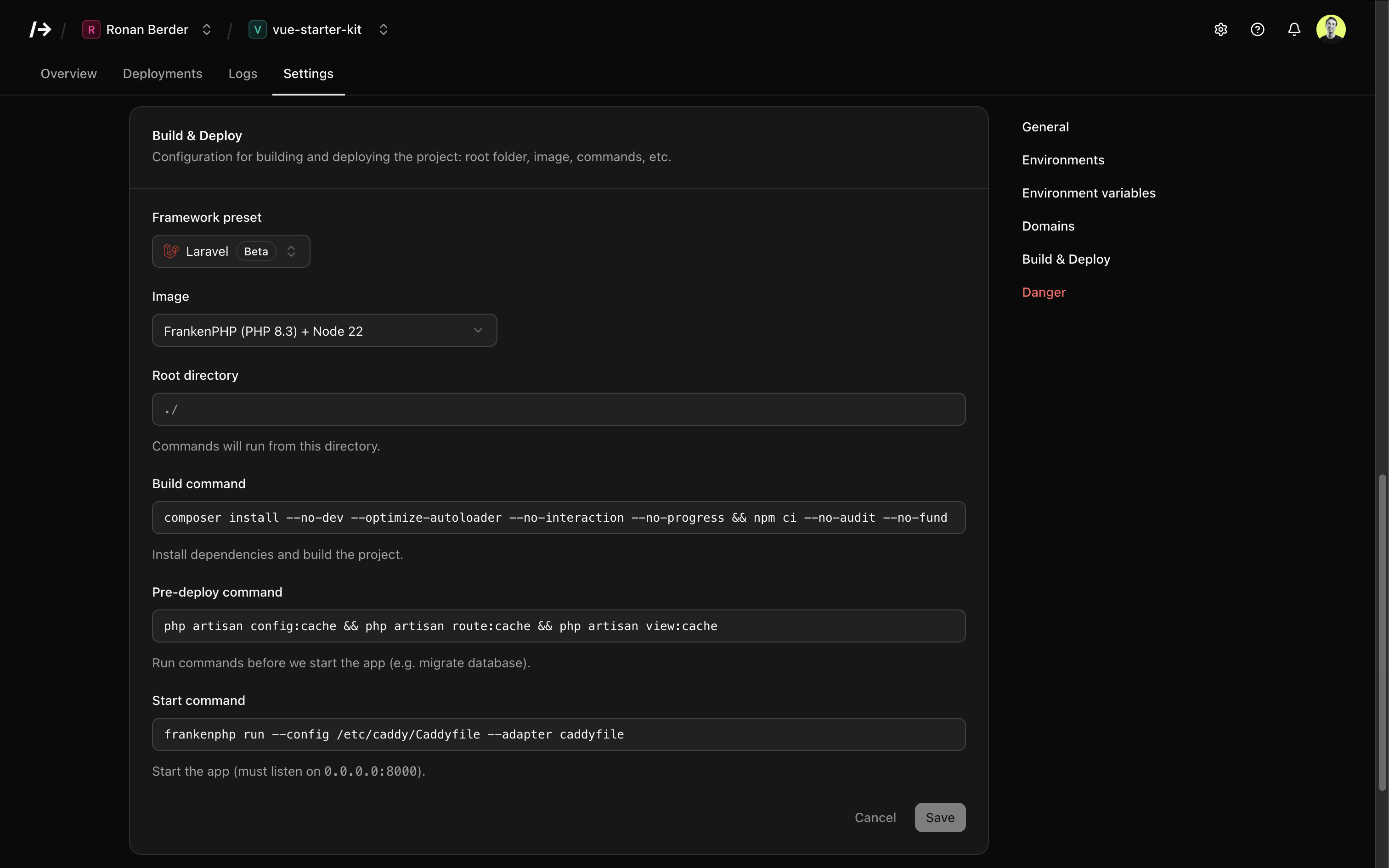
/dev/push uses a registry catalog to define available runners and presets. The catalog can be synced online from the registry, while your local changes live in overrides.json.
Files
| File | Purpose |
|---|---|
registry/catalog.json |
Base catalog of runners and presets. Do not edit. |
registry/overrides.json |
Your local overrides (enable/disable, custom entries). |
Production paths:
/var/lib/devpush/registry/catalog.json
/var/lib/devpush/registry/overrides.json
Dev paths:
./data/registry/catalog.json
./data/registry/overrides.json
Catalog format
The catalog is a single JSON file with meta, runners, and presets.
{
  "meta": {
    "version": "1.0.0",
    "source": "registry"
  },
  "runners": [
    {
      "slug": "python-3.12",
      "name": "Python 3.12",
      "category": "Python",
      "image": "ghcr.io/devpushhq/runner-python-3.12:1.0.0"
    }
  ],
  "presets": [
    {
      "slug": "python",
      "name": "Python",
      "category": "Python",
      "enabled": true,
      "config": {
        "runner": "python-3.12",
        "build_command": "pip install -r requirements.txt",
        "pre_deploy_command": "",
        "start_command": "gunicorn -w 3 -b 0.0.0.0:8000 main:app",
        "logo": "<svg>...</svg>",
        "detection": {
          "priority": 30,
          "any_files": ["requirements.txt", "pyproject.toml"]
        }
      }
    }
  ]
}
Runner fields
| Field | Type | Required | Description |
|---|---|---|---|
slug |
string |
Yes | Unique runner identifier. |
name |
string |
Yes | Display name shown in the UI. |
category |
string |
Yes | UI grouping (e.g., Python, PHP). |
image |
string |
Yes | Docker image reference (tag or digest). |
enabled |
boolean |
No | Defaults to false if missing. |
Preset fields
| Field | Type | Required | Description |
|---|---|---|---|
slug |
string |
Yes | Unique preset identifier. |
name |
string |
Yes | Display name shown in the UI. |
category |
string |
No | UI grouping for presets. |
enabled |
boolean |
No | Defaults to false if missing. |
config |
object |
Yes | Preset behavior (commands, detection). |
Preset config fields
| Field | Type | Required | Description |
|---|---|---|---|
runner |
string |
Yes | Default runner slug used by this preset. |
build_command |
string |
Yes | Build/install step. |
pre_deploy_command |
string |
Yes | Optional pre-deploy step. |
start_command |
string |
Yes | Command used to start the app. |
logo |
string |
Yes | SVG markup. |
root_directory |
string |
No | Working directory (e.g., ./ or apps/api). |
beta |
boolean |
No | Marks the preset as beta. |
detection |
object |
No | Auto-detection rules. |
Detection format
| Field | Type | Description |
|---|---|---|
priority |
number |
Higher values win when multiple presets match (default: 0). |
any_files |
array |
At least one file must exist. Supports globs (e.g. */settings.py). |
all_files |
array |
All files must exist. Supports globs. |
any_paths |
array |
Alias for any_files (supports globs). |
none_files |
array |
None of these files should exist. Used for exclusions. |
package_check |
string |
Dependency name to find in requirements.txt, pyproject.toml, or package.json. |
Example detection:
{
  "priority": 95,
  "any_files": ["requirements.txt", "pyproject.toml"],
  "none_files": ["manage.py"],
  "package_check": "fastapi"
}
Detection variants
Use detection.variants[] to override parts of a preset when additional conditions are met.
Variants inherit the base preset config and only replace the fields they define.
| Field | Type | Description |
|---|---|---|
priority |
number |
Higher values win when multiple variants match (default: base priority). |
any_files |
array |
At least one file must exist. Supports globs. |
all_files |
array |
All files must exist. Supports globs. |
any_paths |
array |
Alias for any_files (supports globs). |
none_files |
array |
None of these files should exist. Used for exclusions. |
package_check |
string |
Dependency name to find in requirements.txt, pyproject.toml, or package.json. |
config |
object |
Partial preset config overrides (e.g., runner, build_command, pre_deploy_command, start_command, root_directory). |
Example variant:
{
  "config": {
    "runner": "frankenphp-node-8.3",
    "build_command": "composer install --no-dev --optimize-autoloader --no-interaction --no-progress && if [ -f package-lock.json ]; then npm ci; else npm install; fi && npm run build"
  },
  "priority": 200,
  "all_files": ["composer.json", "package.json"],
  "any_files": ["artisan"]
}
Overrides
Edit overrides.json to enable/disable entries or add custom ones. Do not edit catalog.json.
{
  "runners": {
    "python-3.12": { "enabled": true },
    "node-20": { "enabled": false },
    "custom-runner": {
      "slug": "custom-runner",
      "name": "Custom Runner",
      "category": "Misc",
      "image": "ghcr.io/acme/custom:1.2.3",
      "enabled": true
    }
  },
  "presets": {
    "python": { "enabled": true }
  }
}
Notes:
| Action | Effect |
|---|---|
enabled: true |
Enable an entry. |
enabled: false |
Disable an entry. |
| Additional fields | Override catalog values. |
| Custom entries | Must include required fields (slug, name, category, image for runners). |
The Admin → Registry panel currently supports enable/disable plus pull/clear image actions.
Editing fields or adding custom entries is done directly in overrides.json.
Local images
You can point runner.image at a local image tag (no registry) if it exists on the host Docker daemon:
{
  "runners": {
    "custom-local": {
      "slug": "custom-local",
      "name": "Local Runner",
      "category": "Misc",
      "image": "my-custom-image:dev",
      "enabled": true
    }
  }
}
If the tag doesn’t exist locally, deployments will fail until you build or pull it.
Admin UI
The Admin → Registry panel focuses on operational tasks:
- Enable/disable runners and presets
- Pull or clear runner images (per-runner or all enabled)
- Sync the catalog from the registry
For field edits or custom entries, edit overrides.json directly.
Applying changes
Visiting Admin → Registry will automatically reload overrides if the files on disk have changed. A service restart will also pick up the changes.
Catalog updates
Use Admin → Registry → Update to sync the latest catalog from the registry.
This updates catalog.json but does not overwrite your overrides.